IFPLAY — Product Walkthrough
IFPLAY is a free, browser-based post-game coaching tool for League of Legends teamfights. It replays a real teamfight on the minimap, lets the user give one coaching instruction in plain language ("avoid fighting near the river"), and then shows an AI-recommended alternative play for that same fight — with a written coach note and a death-risk comparison. It is built and operated by an academic research lab (DNC Lab); there is no monetization, no ads, and no account requirement.
Live demo (no login needed): https://ifplay.gg/ · mirror: https://dnclab.dev/dtg2/
User flow
Pick a teamfight and watch the replay
The top bar lists pre-analyzed teamfights from completed ranked matches
(reconstructed offline from Riot match-v5 timelines). The minimap
replays all 10 champions with portrait pins, health, and trails. Playback controls
(pause / speed / timeline) sit at the top of the map.
Give one coaching instruction
Type a tactical instruction in the Coach Instruction box — or tap a suggestion chip — and press COACH. A progress ring shows the analysis pipeline while ~1,000 alternative trajectories are generated and scored.
Read the result
The left card shows the compliance verdict, a death-risk comparison (team-average death probability, actual vs. recommended play) and a written coach note in a human VOD-review style (currently Korean; English available). The map now plays the recommended trajectories; the right card maps every simulated alternative on a Strategy Map with clustered "scenario" chips.
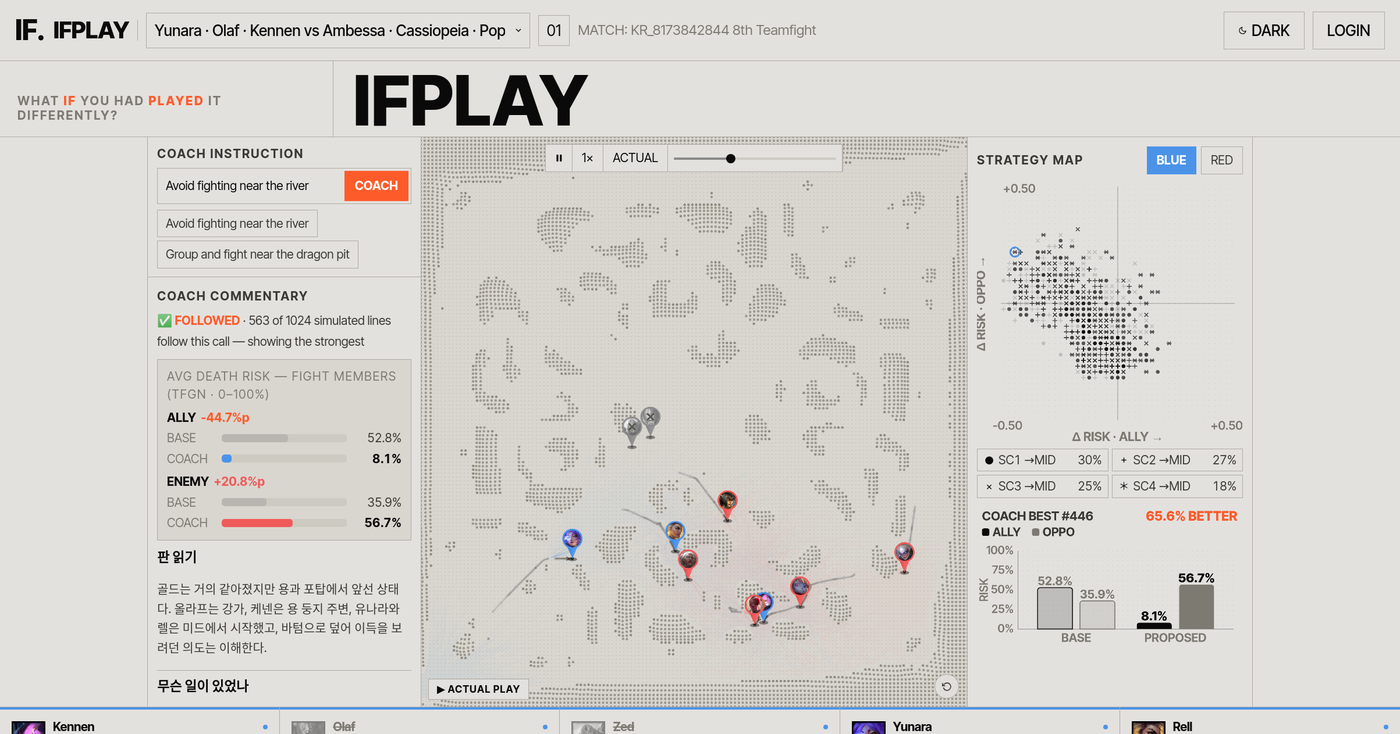
After pressing COACH: coach note + risk deltas (left), recommended play on the minimap (center), strategy map of all simulated alternatives (right).
Compare against what actually happened
The ACTUAL toggle in the playback bar switches the pins between the recommended play and the real match trajectory, with a mode badge on the map.
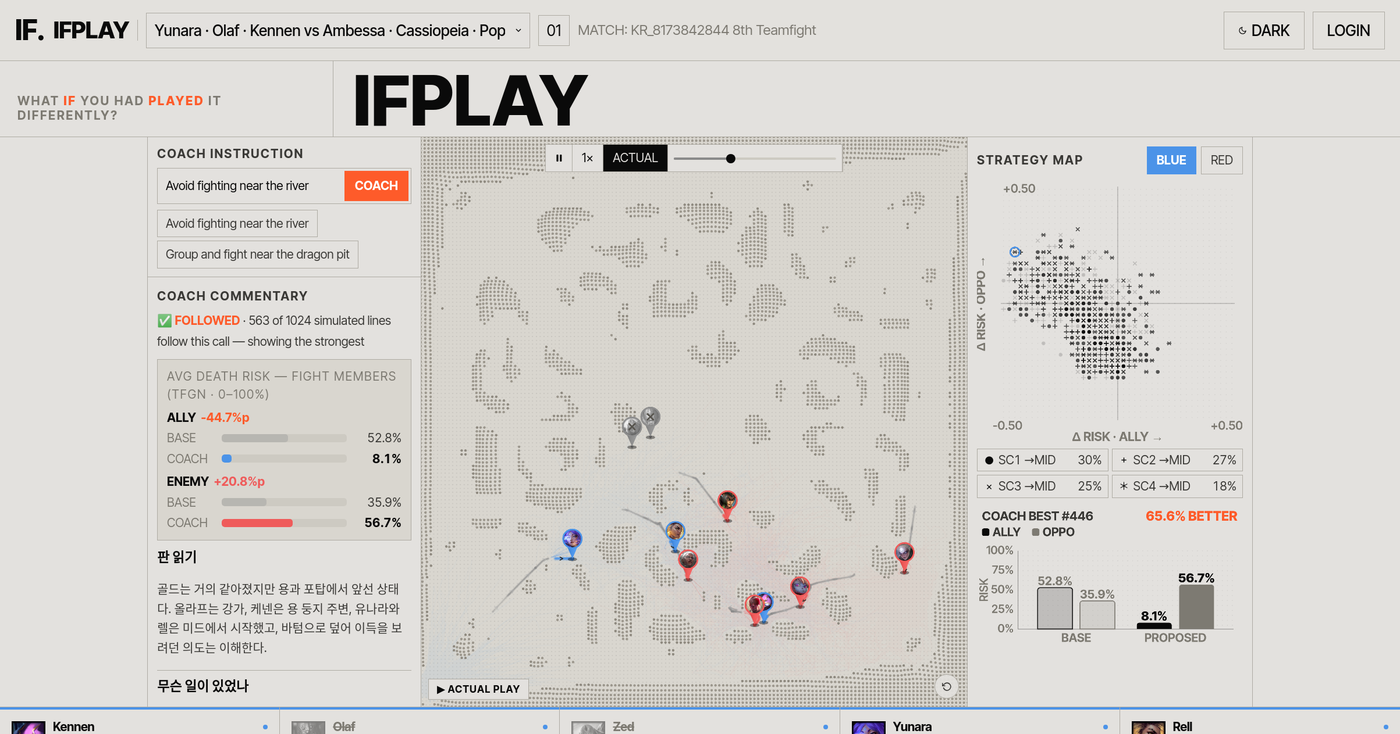
ACTUAL mode replays the trajectory that really happened, so users can compare it against the recommendation frame by frame.
Rotate the map in 3D
Dragging the minimap tilts and rotates a 3D terrain view; champion pins and trails stay anchored to the map.
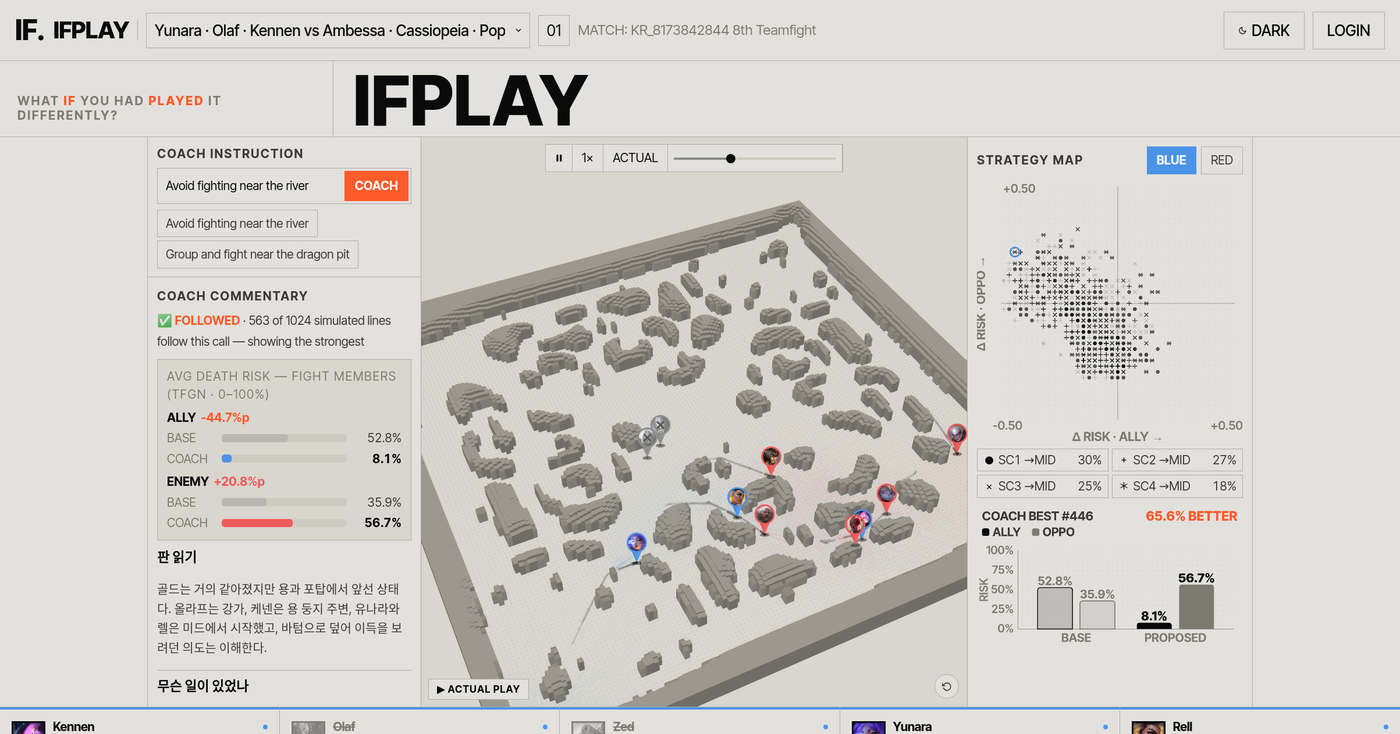
The same fight in the tilted 3D view.
How IFPLAY uses the Riot API
| Endpoints | match-v5 matches & timelines (completed
ranked games only) · league-v4 ladder entries to sample high-elo
matches · Data Dragon static assets (champion portraits). |
|---|---|
| Cadence | Offline batch pre-processing on our server; the public site serves cached, pre-analyzed fights. No live/spectator data, no in-game overlay, and nothing that could confer an in-game advantage — analysis is strictly post-game. |
| Why a production key | (1) Stable rate limits for refreshing the fight library from recent patches; (2) Riot Sign-On so a player can load teamfights from their own recent matches instead of our curated set (the LOGIN button in the top bar is this planned flow, currently disabled). |
| Data handling | Only public match data keyed by match ID; no personal data beyond what the Match API returns, no storage of Riot credentials, no resale or redistribution of data. |
| Who runs it | DNC Lab (academic research). The underlying methods are part of peer-reviewed research submissions; the site doubles as the public demo for that work. Free for everyone. |
Contact
DNC Lab · schwarzesloch1106@gmail.com